


Custom the Onboarding Experience
You may wish to customize the onboarding experience for your customers with company-approved branding and messaging. We've provided a themes endpoint that allows you to customize the brand name, logo, and a few other elements within the onboarding flow.
Once you have created your theme, you can apply it by specifying the theme_id="your theme ID" as part of the direct login URL you generate for a ShipStation API user account.
Customizable Onboarding Elements

The following onboarding elements are customizable using the themes endpoint:
The Start Screen
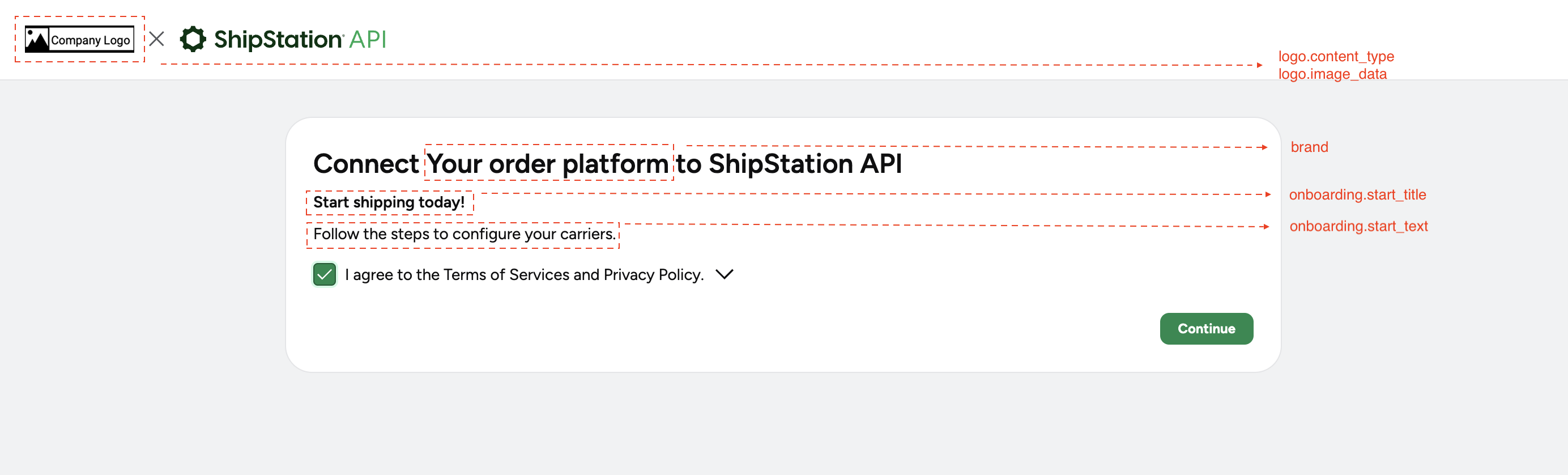
- Logo image (this image will persist throughout your customer's portal experience)
- Brand name
- Start title
- Start text
The Completed Screen
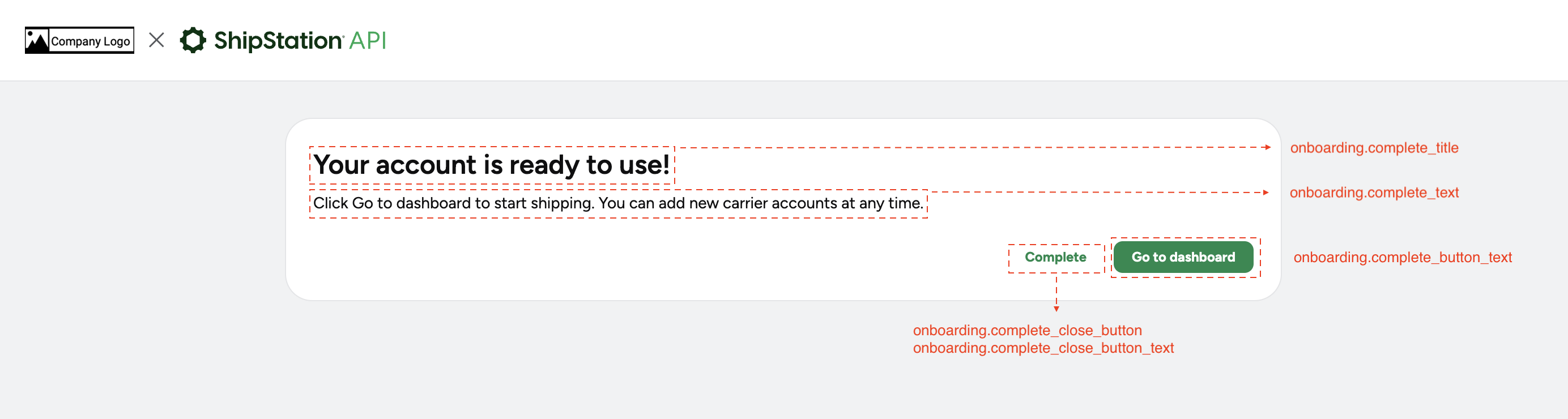
- Complete title
- Complete text
- Complete button text
- Close button
- Close button text
Go to our Themes Endpoint Reference page for a full list of properties available for the themes endpoint and their descriptions.
About the Close Button Behavior
The close button (complete_close_button) will not close the onboarding window by itself, due to certain browser restrictions. To close the window, we'll post a message (shipengine.dashboard.close) through the window.opener. The parent application must listen to that message and execute the close action.
For example, when the user clicks the close button, we will execute the following code:
Your parent application (that initially opened the dashboard) should have code similar to this:
Create a Theme
Use the themes endpoint to create a new theme. You can create a maximum of 10 themes per partner.
Example Request & Response
POST /v1/partners/themes
Example response:
Edit a Theme
When you create a theme, the response will include a theme_id. You can then use the ID to make edits to your existing theme(s).
Example Request & Response
PATCH /v1/partners/themes/{themeID}
Example response:
TIP:
Set Carrier Selection by Country
You can also set which country's carriers your customers can connect when creating or editing a theme. Review Set Available Carriers by Country for details on setting the required property.
Delete a Theme
You can also delete any theme by its theme_id.
Example Request & Response
DELETE /v1/partners/themes/{themeId}
Example response:
List Themes
Lastly, you can list the themes you've created by ID...
GET /v1/partners/themes/{themeId}
Or, list all the themes you've created...
GET /v1/partners/themes